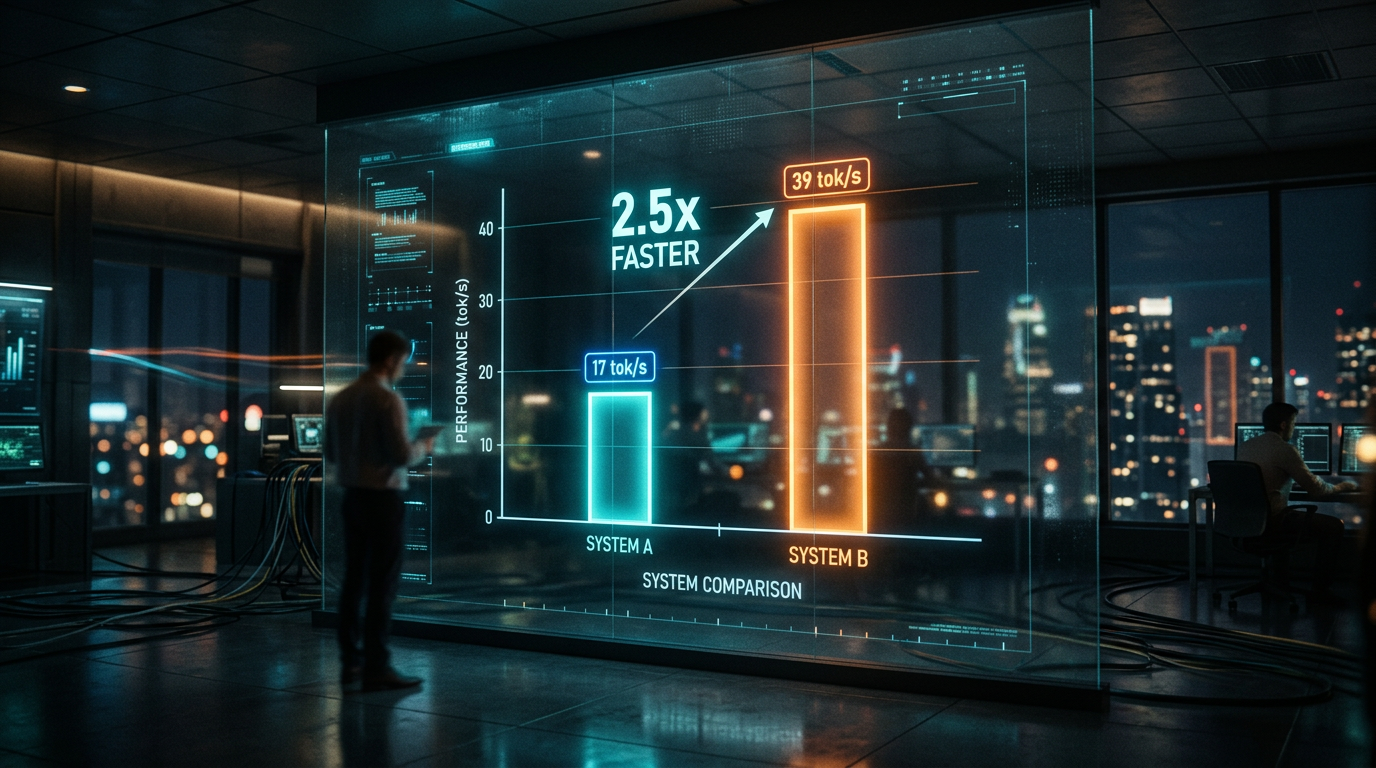
TL;DR. Same prompt, same model, same box. The only thing that changed was whether Ollama was allowed to touch the GPU. On CPU alone the model ran at 17 tokens per second and took about five and a half seconds per call. With the GPU enabled, Ollama put almost the whole transformer stack on the card (35 of 36 layers, give or take) and the rate jumped to 39 tokens per second, around two seconds per call. The CPU also stopped cooking — peak temp during a burst of saves dropped by about ten degrees.
That’s a 2.5× speedup, give or take. Honestly less than I was hoping for. The interesting part of this post isn’t the speedup itself — it’s why it landed there, instead of the 10× you see in other writeups, and why `ollama ps` was lying to me about what was actually happening.
Setup
I’m running a small distractor-generation model as part of a vocabulary-save flow. Five rapid saves in a row was uncomfortable on CPU — both the wait and the fan. So I wanted a number before committing to “the GPU is worth it” or “I should be looking at a different inference path.”
| Box | AMD Ryzen 5 4600H + NVIDIA GTX 1650 Ti Mobile, 4 GB VRAM |
| Model | `gemma4:e2b` (7.8 GB on disk, Q4_K_M) |
| Engine | Ollama 0.23.1 |
| Prompt | Real production prompt — word + definition + sentence + instructions for distractors / hint / explanation |
| Output cap | `num_predict: 400`, `think: false` |
| Sample | 5 prompts × 5 distinct technical words (polling, warehouse, linearizability, throughput, partition) |
| Mode flip | `num_gpu: 0` → force CPU. No `num_gpu` → Ollama auto-splits the layers |
| Warm-up | One throwaway call per mode before the timed samples |
Both modes ran after warm-up, so the numbers reflect steady-state inference, not first-load cost. Each `/api/generate` response landed in NDJSON so I could pull `eval_count`, `eval_duration`, and `total_duration` straight from the engine without timing from the outside.
Results
| Metric | CPU only | GPU hybrid (35/36 layers on GPU) | Δ |
|---|---|---|---|
| Avg output tokens / call | 60 | 55 | ~same |
| Avg eval latency (token gen only) | 3 506 ms | 1 411 ms | 2.49× faster |
| Avg total latency (prompt eval + token gen) | 5 390 ms | 2 174 ms | 2.48× faster |
| Tokens / sec | 17 | 39 | 2.29× faster |
`ollama ps` during the GPU run:
NAME SIZE PROCESSOR CONTEXT UNTILgemma4:e2b 7.8 GB 74%/26% CPU/GPU 4096 Forever`nvidia-smi` during a generation:
NVIDIA GTX 1650 Ti, used 1998 MiB, free 1909 MiB, util 32 %So the GPU is half-empty during inference — about half of its memory is in use, and the rest is sitting there as headroom for the KV cache and forward-pass scratch space. There’s no spare VRAM being wasted; the card just can’t hold any more of this model.
Why 2.5× and not 10×
I went into this with a tidy mental model. Four gigs of VRAM, eight gigs of model, only a slice fits, the rest runs slow on CPU, end of story. The actual story is more interesting, and `ollama ps` was misleading me about it.
When I read `74%/26% CPU/GPU` in `ollama ps`, I assumed that meant a quarter of the layers were on the GPU. Look at the Ollama load logs instead and you’ll see something different — almost the entire transformer stack went to the card. For this model on this hardware it was 35 of 36 blocks. The number in `ollama ps` is the memory split: the share of model weights resident in VRAM. It’s not the layer count. The two diverge because layers aren’t all the same size.
The one layer that stayed on the CPU is the output projection — the matmul at the end of the model that turns hidden states into a distribution over the vocabulary. Gemma ships with a large vocabulary, which makes that single layer carry a sizeable chunk of total weights. There isn’t enough headroom in 4 GB to put the output layer on GPU alongside the transformer stack and still leave room for the KV cache and inference scratch space. So Ollama puts it where it fits.
Every token has to round-trip through that CPU-resident output layer to be generated. GPU does the parallel work over the transformer blocks, then hands activations back to CPU for the final projection, then waits for the next token. The CPU step is mandatory and serial. It bounds the per-token rate no matter how fast the GPU is on the rest of the work.
So the right way to read 2.5× isn’t “only 26% of layers offloaded, of course it’s slow.” It’s “the parallelisable compute almost entirely moved, but one serial step per token stayed on the slower device, and that step is now the floor.” A card with enough VRAM to hold the output layer would lift that floor and let you see the 10× numbers other writeups cite. That isn’t this card.
The other thing this means: if you only ever look at `ollama ps`, you’ll get the wrong picture of what your setup is doing. The load logs are the source of truth for which layers went where.
What 2.5× actually buys you
In the app, a single save — that’s the distractors, hint, and short explanation, around sixty tokens of output — used to take five and a half seconds. Now it’s a little over two. That moves it from the “is this hanging?” zone into the “yeah, it’s working” zone, which is the threshold that actually matters for a save action.
Five quick saves in a row used to mean almost half a minute of full-tilt CPU. Now it’s closer to ten seconds, with the work shared between CPU and GPU. The peak CPU temperature during that burst dropped by about ten degrees, which on a thin laptop is the difference between fans that ramp and stay ramped, and fans that spin up briefly and settle. Fans aren’t on the spec sheet, but they’re a real part of the UX.
What would push it higher
There are two obvious moves and both come with trade-offs.
The first is to use a smaller quantization. This model ships at Q4_K_M. A Q3_K build would be smaller and might fit fully in VRAM if you also lower the context. That would lift the output layer off the CPU and you’d be close to the 10× number other writeups cite. The cost is real quality loss on the model’s outputs — worth measuring on your own prompt set rather than assuming.
The second is just a bigger GPU. A 16 GB card would hold the whole model with room to spare. The point of this exercise was to see what a commodity laptop GPU actually does, though, so a five-hundred-dollar desktop card isn’t really in scope.
The thing I’m not doing is chasing latency further by swapping engines — llama.cpp directly, vLLM, anything like that. Two seconds is well inside the budget for the action this model powers. Optimising past “fast enough” is a tax on the time I’d rather spend on the product itself.
Reproducing this
If you have Ollama, `curl`, and `jq`, you can run the same comparison in under a minute. The two requests below hit the same model with the same prompt — the only thing that changes is `num_gpu`. `0` forces CPU; `99` tells Ollama to offload as many layers as fit. Everything else (model, prompt, output cap) is held constant.
#!/usr/bin/env bashMODEL="gemma4:e2b"PROMPT='Word: "polling"Definition: "checking for updates by repeated queries"Context: "The client uses polling to discover state changes."Reply with 5 distractor words and a one-line hint.'run() { local label="$1" num_gpu="$2" curl -sS http://localhost:11434/api/generate -d "{ \"model\": \"$MODEL\", \"prompt\": $(printf '%s' "$PROMPT" | jq -Rs .), \"stream\": false, \"options\": { \"num_predict\": 400, \"num_gpu\": $num_gpu } }" | jq "{label: \"$label\", tok_per_s: (.eval_count / (.eval_duration / 1e9)), total_ms: (.total_duration / 1e6)}"}# Warm-up — first call after a mode flip pays a load cost; discard it.run warmup 0 > /dev/nullrun cpu 0 # force CPUrun gpu 99 # let Ollama offload what fitsSwap `MODEL` and the prompt for whatever you actually run. Anything below 6 GB VRAM and you’ll see something in the 2–3× ballpark; the curve gets dramatically better the second you can fit the model whole.
If you’re sitting on a small mobile GPU and wondering whether it’s worth wiring it up to your Ollama setup — probably yes. The win is real and the box runs cooler. Just plan around two to three times faster, not ten, and budget the rest of your performance goal around something else. And if you only ever check `ollama ps`, you’ll be misreading what your setup is doing. Read the load logs too.
Leave a Reply